Add your first farm employees
How AgCore employee records bring worker details, Departments, agreements and work activity together, and when to use manual entry or an eForm.
What a farm employee record brings together
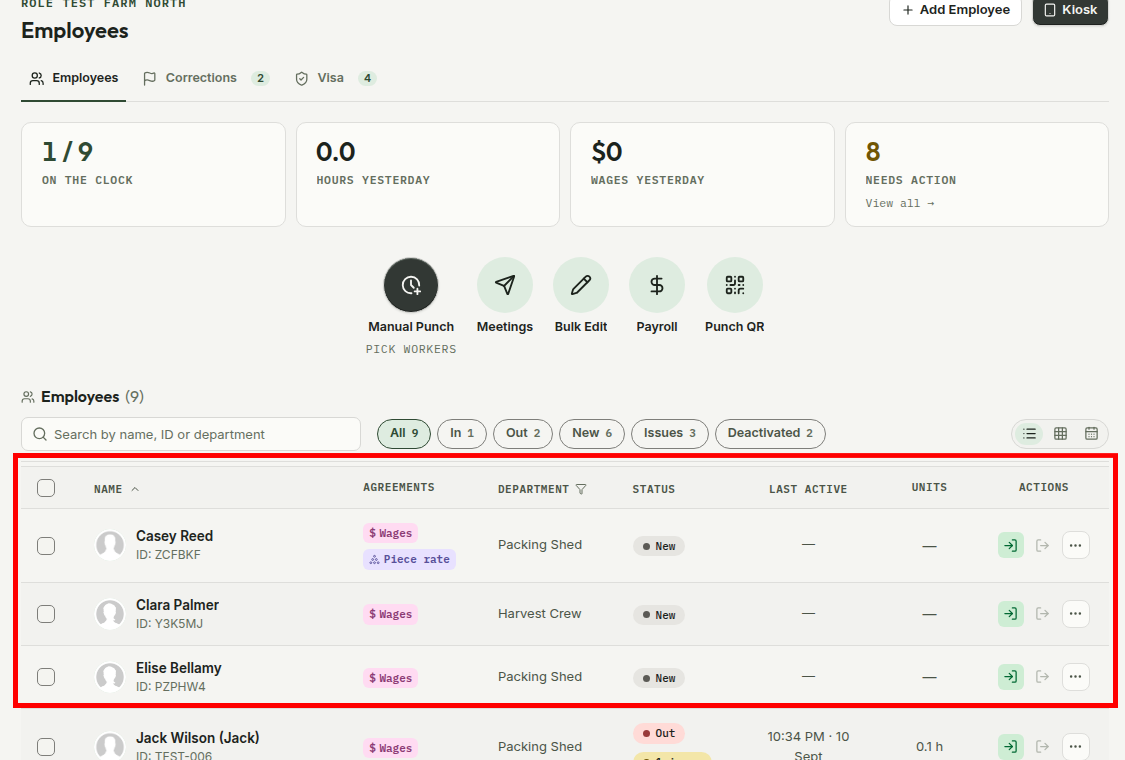
An employee record keeps a worker's details and farm work together. The Employees screen shows each person's generated employee ID, agreements, primary Department, clock status, latest activity and recorded units.
The live totals show who is on the clock and what needs attention. Open a worker to reach their profile, work history, agreements and reports without matching separate files by hand.
Enter a worker or let them supply their details
Create Employee suits someone whose details you already hold. AgCore adds them to the active Organisation, connects them to a primary Department and gives them the employee ID used across the app.
Send eForm opens the Employment eForms area for a new hire to supply their own details and agreement. Workers Portal opens Find Workers when you want to start with a worker who has made their profile visible to employers.
Why the first record matters
AgCore connects each worker to the Organisation that employs them and to a primary Department before their work is recorded. Hours, piecework, agreements, issues and reports can then point back to the same employee record.
Once that link exists, the office can see who is on the clock, find work that needs attention and open the right person's history without matching separate files by hand.
Open AgCore
Already have a login? Open Employees to bring in your first worker. If you're signed out, the login screen sends you on to that page.
For the exact buttons and required details, follow the gated Add your first employees guide after you sign in.
No account yet? Start a free 60-day trial — the full product, no credit card.